 My Account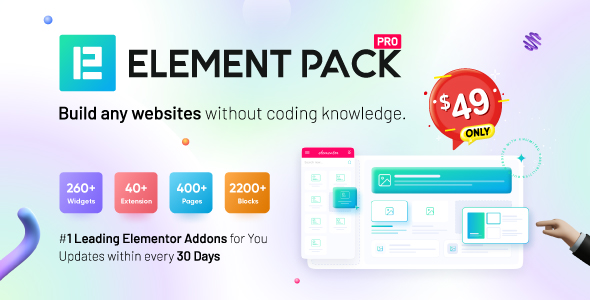
Elementor is already an incredible WordPress page builder—but as your projects grow, so do your needs. The default widgets might work for simple designs, but they often fall short when you need more creative control, advanced features, or complex interactions. That’s exactly where Element Pack Plugin enters the picture.
Developed by BdThemes, Element Pack is a premium Elementor addon that gives you over 200 professional-grade widgets, 300+ pre-designed templates, and a growing library of interactive UI elements. It enables you to design sites that are not only visually appealing but also functionally powerful—without requiring extra plugins or custom code.
If you’re serious about web design and want to scale what Elementor can do, this plugin is a game-changer.
What Exactly Is Element Pack?
At its core, Element Pack is a toolkit that supercharges Elementor. It brings together everything you need to create dynamic, flexible, and beautiful websites inside the Elementor editor.
Unlike plugins that add just a handful of widgets, Element Pack offers a massive range of features, from essential blocks to niche utilities and deep third-party integrations. These include everything from content sliders and accordions to Instagram feeds, pricing tables, calendars, and interactive image galleries.
Rather than juggling multiple addons or plugins, this single tool can serve almost every design and functionality need.
Who Should Use Element Pack?
Element Pack is built for users who want to move faster, build smarter, and reduce reliance on dozens of plugins. It’s a perfect fit for:
-
Freelancers looking to speed up client work
-
Agencies managing complex and feature-rich websites
-
Marketers and Creators who want high-converting pages
-
eCommerce store owners who need advanced WooCommerce tools
-
Developers building dynamic sites with custom post types and data fields
Whether you’re using Elementor Free or Pro, Element Pack levels up your toolkit instantly.
Key Features Overview
Here’s a quick overview of what Element Pack delivers:
200+ premium Elementor widgets
300+ full-page templates and 1000+ section blocks
Compatibility with WPForms, Gravity Forms, Contact Form 7, Fluent Forms
WooCommerce widgets for dynamic product design
Integration with social media tools and scheduling apps
Custom header, footer, and mega menu builders
Lottie animations, motion effects, and popup builder
Cross-domain copy-paste and Live Copy
RTL, WPML, and responsive design support
Constant updates and extensive documentation
With such a feature-rich setup, the possibilities are almost endless.
1. Unlock 200+ Powerful Widgets
Element Pack doesn’t just add more widgets—it adds the right kind. These are the kinds of elements you’ll actually use in real client projects, landing pages, eCommerce designs, and portfolios.
For instance, you can choose from:
-
Advanced Tabs & Accordions – Great for structuring content-heavy pages
-
Image Hotspot – Perfect for eCommerce product showcases
-
Device Slider – Display apps or websites inside mobile mockups
-
Social Feed Widgets – Pull live content from Twitter or Instagram
-
Advanced Gallery, Lightbox, and Grid Widgets – Ideal for creatives
-
Event Calendar & Countdown Timer – Build urgency and interactivity
-
Advanced Testimonials, Pricing Tables, and Call-to-Action blocks – Convert visitors effectively
-
Custom Search and Filter Widgets – Improve navigation and UX
Because they are fully responsive and customizable, these widgets allow for pixel-perfect control across every device.
2. Use Pre-Built Templates to Save Time
Need to launch a page quickly?
Element Pack comes with 300+ full-page layouts and over 1000 section templates, covering:
-
Agency websites
-
Landing pages
-
Restaurants
-
Online shops
-
SaaS homepages
-
Portfolios
-
Personal blogs
-
Corporate and business sites
Importing these templates is simple. Within seconds, you’ll have a professional-looking layout ready to customize with your branding, colors, and content. This drastically reduces the design time and speeds up delivery—especially for client projects or tight launch schedules.
3. Header, Footer, and Mega Menu Builder
If you’re not using Elementor Pro, you probably miss the ability to design headers and footers. Thankfully, Element Pack fills that gap perfectly.
It allows you to:
-
Build sticky headers with CTA buttons
-
Create transparent headers for modern landing pages
-
Design multi-column mega menus with images, icons, and links
-
Customize mobile navigation for smaller screens
-
Use conditional logic to display headers or footers based on user type or page
This means you can now build completely custom website layouts, even on Elementor Free.
4. 3rd Party Integrations Built Right In
Instead of relying on separate plugins for social feeds or forms, Element Pack integrates directly with the most popular tools.
You can connect to:
-
Calendly – Embed appointment booking calendars
-
Mailchimp – Sync email sign-ups from custom forms
-
Instagram & Twitter – Show latest social posts in grids or sliders
-
Google Maps – Embed styled, responsive maps
-
YouTube & Vimeo – Use lightboxes, popups, or custom video skins
-
WPForms, Fluent Forms, Contact Form 7, Gravity Forms – Style form fields visually
These integrations make your workflow more seamless and your site lighter by reducing plugin overload.
5. Design With Motion and Animation
Static websites are boring. With Element Pack, you can bring life to your pages using built-in animation and motion features.
-
Lottie animations add modern SVG movement without performance loss
-
Scroll reveal effects let content slide or fade into view
-
Mouse tracking effects create subtle parallax-style movement
-
Animated text and counters help convey data with flair
-
Dark Mode Toggle allows users to switch between light/dark themes in real-time
These effects not only enhance visual appeal but also improve user engagement and make your brand feel more premium.
6. Dynamic Data, Conditions, and Loop Control
If you build websites that rely on custom post types, ACF fields, or dynamic data, you’ll appreciate this feature.
Element Pack allows you to:
-
Display dynamic post content
-
Show/hide elements based on login status, user role, or even device type
-
Set time-based visibility rules for promotions
-
Loop through posts, events, products, or portfolios using loop grids
You get all this even if you’re using Elementor Free, giving you near-Pro-level power with advanced layout control.
7. Built for Global, Responsive, Accessible Design
In 2025, accessibility and multi-language support aren’t just “nice to have”—they’re essential.
Element Pack is:
-
Fully responsive across all devices
-
RTL-ready for languages like Arabic and Hebrew
-
Compatible with WPML and Polylang for multilingual sites
-
ARIA-compliant for accessibility
-
Optimized for mobile performance
Whether you’re building for a global audience or a local business, it adapts effortlessly to your needs.
A Real-World Use Case: From Idea to Launch in 48 Hours
For a tech consulting client, I used Element Pack to build a full site with:
-
Interactive homepage with testimonial sliders
-
Countdown timer for their upcoming webinar
-
Integration with WPForms for lead generation
-
Pricing table with hover effects
-
Sticky header with live menu highlights
-
Off-canvas mobile navigation
-
Animated stats and FAQ accordions
Thanks to the template library and widget flexibility, I completed the entire build—design, copy, responsiveness, and launch—in under 48 hours.
Pros and Cons
Pros:
-
Massive widget collection for nearly every need
-
Beautiful prebuilt templates save time
-
Strong WooCommerce and social integrations
-
Elementor Free compatible
-
Great for freelancers, agencies, and marketers
-
Fully responsive, RTL, and translation ready
-
Affordable pricing and lifetime option available
-
Regular updates and great support
Cons:
-
Slight learning curve with so many widget options
-
No free version (but well worth the price)
-
Can be overwhelming for casual users or beginners
-
Some widgets overlap with Elementor Pro (if you already use it)
Pricing Breakdown
As of 2025, Element Pack pricing looks like this:
-
Personal (1 site) – $49/year
-
Business (5 sites) – $99/year
-
Developer (Unlimited sites) – $149/year
-
Lifetime (Unlimited) – $399 one-time
Each license includes:
-
All current and future widgets
-
Template library access
-
Updates and support
-
Access to the Live Copy library and popup builder
With what you get, Element Pack is one of the best-value Elementor addons on the market.
Final Verdict: Is Element Pack Worth It?
Yes—absolutely.
If you’re tired of stacking plugins, wrestling with limitations, or designing from scratch every time—Element Pack solves all of that. It gives you power, speed, and flexibility in one clean plugin.
With over 200 premium widgets, constant updates, and deep third-party integrations, it has everything needed to design better websites in less time.
Whether you’re building landing pages, full websites, WooCommerce stores, or marketing funnels—Element Pack delivers professional results without the headaches.
Where to Get Element Pack
You can get the Element Pack – Addon for Elementor Page Builder here: It works with both Elementor Free and Pro, and installation is as easy as uploading and activating the plugin.


