
 My Account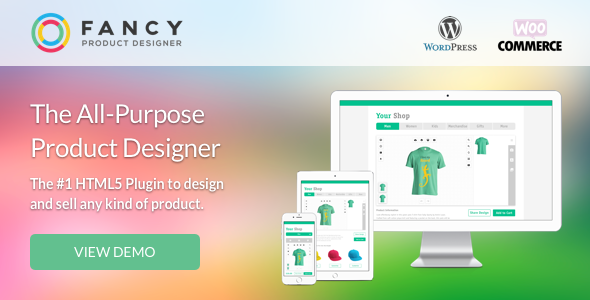
Today’s online shoppers want more than just a catalog—they want control. Whether it’s choosing colors, uploading photos, adding custom text, or designing from scratch, product personalization has become a major selling point in ecommerce. If you’re running a WooCommerce store, you’re likely asking: “How do I let customers personalize products directly on my site without complex coding?” That’s where Fancy Product Designer steps in.
This powerful plugin transforms your WooCommerce store into an interactive canvas. From T-shirts and mugs to business cards and posters, Fancy Product Designer lets users design products in real-time, preview changes live, and place fully customized orders—all from your website.
Let’s break down why Fancy Product Designer is one of the top-rated product customization plugins available for WordPress today.
What Is Fancy Product Designer?
Fancy Product Designer is a premium WooCommerce plugin that allows users to customize and design products visually within your store. It supports:
-
Layer-based editing (text, images, SVGs)
-
Front-end live preview
-
Drag-and-drop interface
-
Price calculation based on user input
-
Export-ready design files for printing
The plugin works with any WooCommerce product type and gives you full control over which elements customers can personalize.
From online merch stores to print-on-demand businesses, Fancy Product Designer makes product customization both easy and professional.
Who Should Use Fancy Product Designer?
This plugin is ideal for:
-
Print-on-demand sellers
-
Custom gift and merchandise stores
-
T-shirt, cap, or apparel designers
-
Stationery shops (cards, invitations, business materials)
-
Phone case or gadget accessory businesses
-
Artists or photographers selling personalized prints
-
Product vendors offering logo or name customization
If your business model involves custom inputs from customers, this plugin offers everything you need to make the process seamless and intuitive.
Key Features at a Glance
Visual drag-and-drop product designer
Multi-layer editing (text, images, SVGs, shapes)
Upload images or use preset assets
Mobile-friendly design interface
Advanced pricing logic (per element or character)
Save, edit, and re-use designs
WooCommerce cart and order integration
Export print-ready files (PNG, SVG, PDF)
Custom fonts, colors, and design zones
Multilingual and RTL support
Developer API for deeper integration
1. Front-End Product Customizer
At the heart of Fancy Product Designer is its interactive front-end design tool.
When customers visit a product page, they’re greeted with:
-
A clean design interface
-
Predefined customization zones
-
Tools to add text, upload images, adjust colors, resize, rotate, and more
-
Live preview of how the final product will look
You can define what areas are customizable and which elements are fixed. This helps you maintain design consistency while still giving users creative freedom.
It’s the perfect blend of structure and flexibility.
2. Layer-Based Editing
Just like professional design software, the plugin uses a layer system to manage multiple design elements.
Users can:
-
Stack elements like text, logos, or background patterns
-
Lock certain layers to prevent editing
-
Rearrange layers (bring forward, send backward)
-
Group or duplicate items easily
This gives end users full control over their design, leading to higher satisfaction and fewer support requests.
3. Add Text, Images, and Shapes
Fancy Product Designer supports multiple element types:
-
Text: Custom fonts, sizing, alignment, and color options
-
Images: Users can upload their own or choose from your preset image library
-
Shapes: Circles, rectangles, stars, and other simple design elements
-
SVG graphics: Clean vector-based graphics for logos or icons
Everything can be dragged, resized, rotated, and styled.
You can also add color limitations (e.g., only allow black and white designs) or set maximum character limits for names or messages.
4. Dynamic Pricing for Personalized Orders
One of the standout features is the plugin’s ability to calculate pricing dynamically based on customization inputs.
You can charge extra for:
-
Additional design elements
-
Characters used in text
-
Uploaded files
-
Premium images or design templates
-
Print area size or complexity
This allows you to monetize customization instead of giving it away for free—something many businesses overlook.
5. Export Designs as Print-Ready Files
Once a customer completes their design and places an order, the plugin saves the design and offers export options including:
-
PNG
-
SVG
-
PDF
-
JSON (for developer use)
You or your print fulfillment partner can download high-resolution versions of the design for accurate printing.
This feature alone saves hours of manual processing and back-and-forth revisions.
6. WooCommerce Integration
Fancy Product Designer integrates tightly with WooCommerce, making the checkout process smooth and familiar.
It works with:
-
Simple, variable, or subscription products
-
Coupons and discounts
-
Tax and shipping rules
-
Payment gateways
Custom designs are stored with the order and accessible from both the admin dashboard and customer account panel.
7. Pre-Made Templates and Saved Designs
Want to make things easier for your users?
You can create design templates that users can modify. These might include:
-
Shirt designs with placeholders
-
Business cards with editable names
-
Frame layouts with drop zones for images
Users can save their designs to re-edit later or use one of your templates as a starting point.
This leads to faster conversions and happier customers.
8. Mobile Responsive Design Tool
Mobile optimization is crucial for modern ecommerce. Thankfully, Fancy Product Designer:
-
Adapts its UI for smaller screens
-
Allows easy touch gestures (resize, rotate, drag)
-
Keeps buttons large enough for thumbs
-
Doesn’t force users to zoom or scroll excessively
Your customers can create full designs directly from their smartphones—a huge plus in a mobile-first world.
9. Developer-Friendly and Extendable
For those building more advanced setups, the plugin offers:
-
REST API for interacting with designs
-
Hooks and filters for customization
-
Support for external asset libraries
-
JSON import/export for design templates
-
Add-on plugins (e.g., multistep product configurator)
This makes it ideal for agencies or developers creating bespoke ecommerce solutions.
Real-World Use Case: Custom Apparel Store
Let’s say you run UrbanThread, a streetwear brand offering customizable tees and hoodies.
Using Fancy Product Designer, you can:
-
Set editable zones on front and back of each apparel item
-
Offer preloaded fonts and clipart
-
Charge $2 for every image upload
-
Enable SVG logos for print clarity
-
Let customers preview how it looks on black or white garments
-
Export designs as PDF for your print-on-demand partner
The result: Fully automated product personalization that scales with your brand.
Comparison with Other Product Designer Plugins
| Feature | Fancy Product Designer | Zakeke | Lumise | Product Designer for Woo |
|---|---|---|---|---|
| Layer editing | Yes | Yes | Yes | No |
| WooCommerce integration | Yes | Yes | Yes | Yes |
| Dynamic pricing | Yes | Yes | No | No |
| Saved designs | Yes | Yes | Yes | No |
| Developer API | Yes | Yes | No | No |
| Export formats | PNG, SVG, PDF | PDF, SVG | PNG | PNG |
| Mobile responsive | Yes | Yes | Yes | Limited |
| One-time license | Yes | No (monthly SaaS) | Yes | Yes |
Fancy Product Designer hits the sweet spot of power, affordability, and flexibility, especially for WooCommerce users.
Pros and Cons
Pros:
-
Real-time visual product customization
-
Tight WooCommerce integration
-
Supports text, image, and SVG editing
-
Print-ready export with layered files
-
Mobile friendly and developer ready
-
Dynamic pricing for monetizing personalization
-
Template system and saved designs
-
One-time pricing (no monthly subscription)
Cons:
-
Initial setup has a learning curve
-
May feel overwhelming with too many options
-
Requires good hosting for optimal performance
-
Premium plugin—not free
-
No built-in 3D preview (unless extended)
Pricing & Licensing
Fancy Product Designer is sold on CodeCanyon as a one-time license.
| License | Price | Use | Support |
|---|---|---|---|
| Regular | $69 | One WooCommerce site | 6 months included |
| Extended | $299 | SaaS or commercial app | Premium use cases |
| Support extension | $21 | Adds 12 months more | Optional |
What you get:
-
All future updates
-
Access to add-ons (sold separately)
-
Full documentation and knowledge base
-
Visual tutorials and setup guides
There’s no recurring fee, which makes it cost-effective for stores of all sizes.
Final Verdict: Is Fancy Product Designer Worth It?
If you sell customizable products online, Fancy Product Designer is one of the most feature-complete and reliable solutions you can use with WordPress and WooCommerce.
It combines:
-
High-end design control
-
Excellent performance
-
Tight WooCommerce integration
-
Complete print export capabilities
Whether you’re launching a merch brand, scaling a POD business, or adding personalization to an existing catalog—this plugin saves you time, boosts conversions, and enhances customer satisfaction.
In short, it’s a smart investment with long-term returns.
Where to Get Fancy Product Designer
You can purchase the plugin directly from CodeCanyon or visit the official site for demos and documentation:
Install it today and turn your WooCommerce store into a fully customizable shopping experience.


